Your audiobooks, beautifully kept.
LectorTome is a reader's companion for listening. Bring the audiobooks you own, set them on a handsome shelf, and press play. Every book remembers its place, every pause picks up right where your attention left off, and every evening ends with a gentle fade to sleep.
- No account
- No ads
- No tracking
- Works offline
- 6 formatsM4B, M4A, MP3, AAC, WAV, FLAC
- 0.75× – 3×speeds, kept for each book
- Shake for 5 moreminutes on the sleep timer
- 5 widgetsHome Screen and Lock Screen
- 0 bytesof your data collected
A library you'll want to linger in
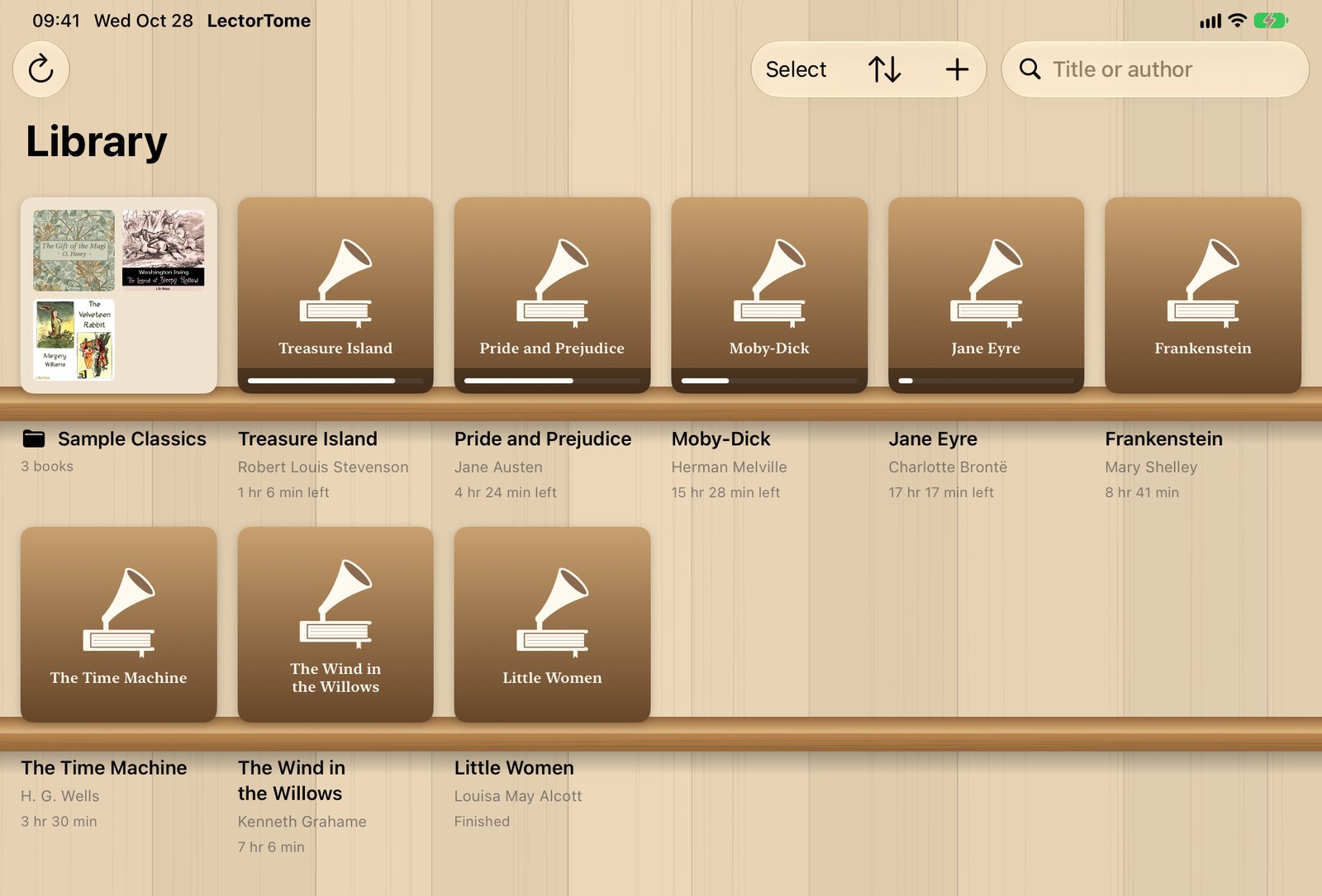
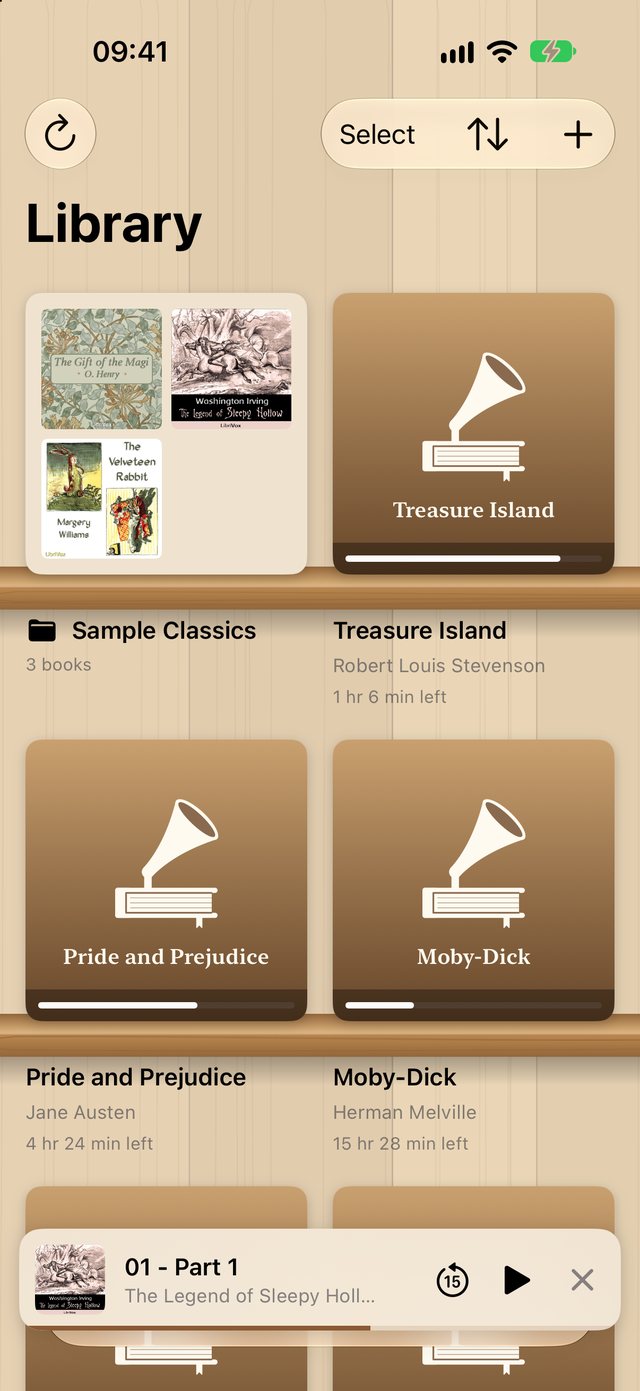
Most audiobook apps give you a list. LectorTome gives you a bookcase. Your covers stand on real-looking shelves, each with a ribbon of progress and the time left at a glance, so choosing what to hear next feels like browsing your own shelves.
- Choose your room. Honey-oak shelves, a walnut bookcase, a mid-century listening room with a brass strip and vinyl on the wall, or a photo of your own bookcase.
- Every book gets a cover. Books without artwork get a handsome one in LectorTome's own style. Or pick any image from Photos or Files.
- Find anything in a moment. Search by title or author, and sort by recently played, title, author (by last name, as a librarian would) or date added.
- Folders and drag and drop. File a series together, drag books onto a folder, or select several at once.
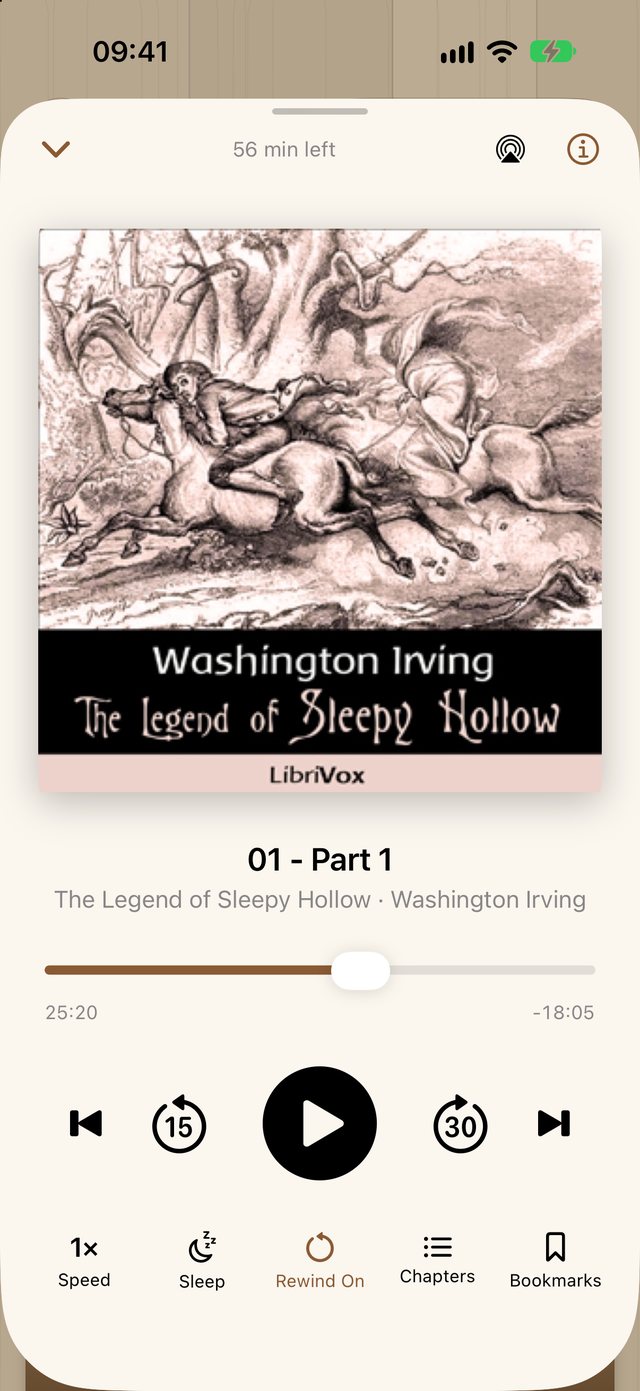
Press play. It remembers the rest.
Your place is saved every few seconds, in every book you own. Switch from a mystery on your commute to a memoir at lunch, and each one is waiting exactly where you left it.
- Smart rewind. Pause for a moment and LectorTome steps back 3 seconds. Pause for an hour and it steps back 30, so you're never dropped mid-thought.
- Your speed, per book. From a leisurely 0.75× to a brisk 3×, with natural, speech-friendly pitch. Each book keeps the speed you like for it.
- Chapters that keep score. Every chapter shows whether it's listened, in progress or not started. Swipe to mark one, or play from anywhere.
- Bookmarks for the lines you want to hear again, plus 15-second back, 30-second forward and chapter skips.
- A full details page for every book: time left at your own speed, chapters, files, bookmarks, and when you added, last played and finished it.
The sleep timer that understands bedtime
Set it for 5 to 60 minutes, or to the end of the chapter, and drift off. In the last 30 seconds the story fades out gently, so you're never startled awake by silence.
- Still awake? Give it a shake. A few firm shakes add five more minutes and bring the volume back up, even with the screen locked and your eyes closed. A soft chime says it heard you.
- Stops right at the chapter's end, not a few awkward seconds into the next one.
- Counts only listening time. Pause for a sip of tea and the timer pauses too.
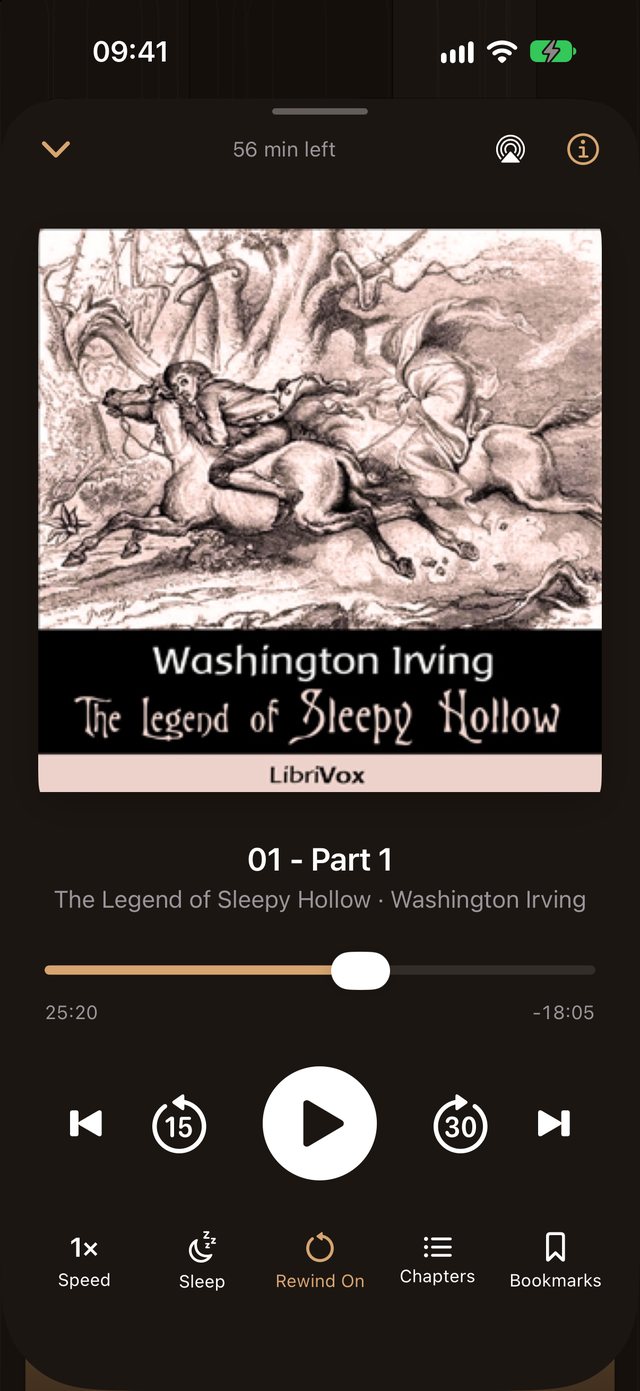
- Lovely in the dark. LectorTome follows your device into Dark Mode, with warm tones that are easy on tired eyes.
- Just ask. "Set a LectorTome sleep timer for 20 minutes."
Never more than a glance away
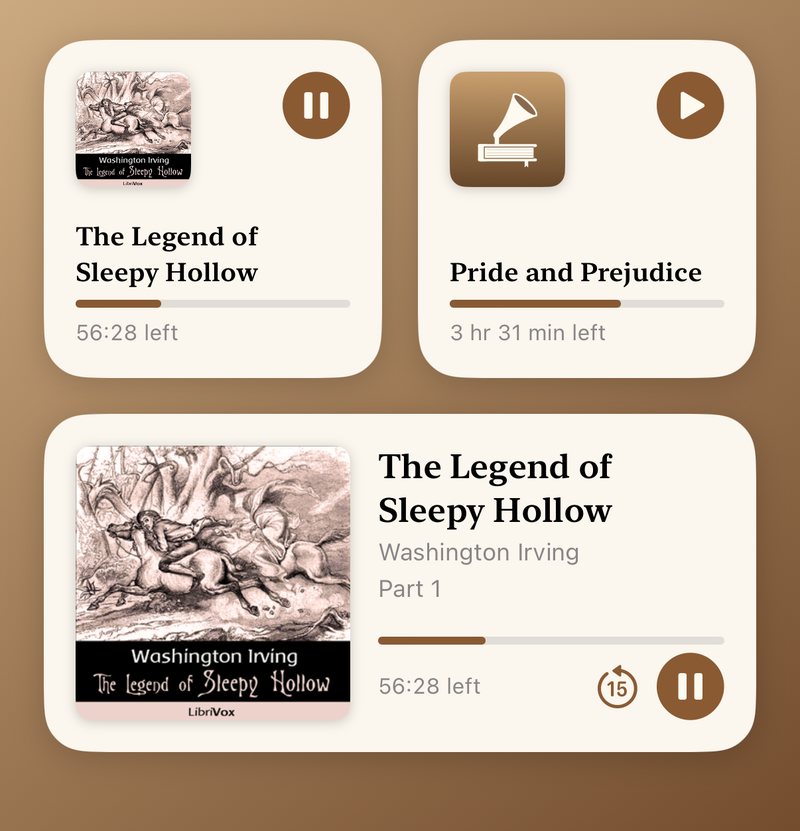
Your book lives on your Home Screen and your Lock Screen, with its cover, its chapter and a progress bar that moves as you listen. Tap play right from the widget, without opening the app.
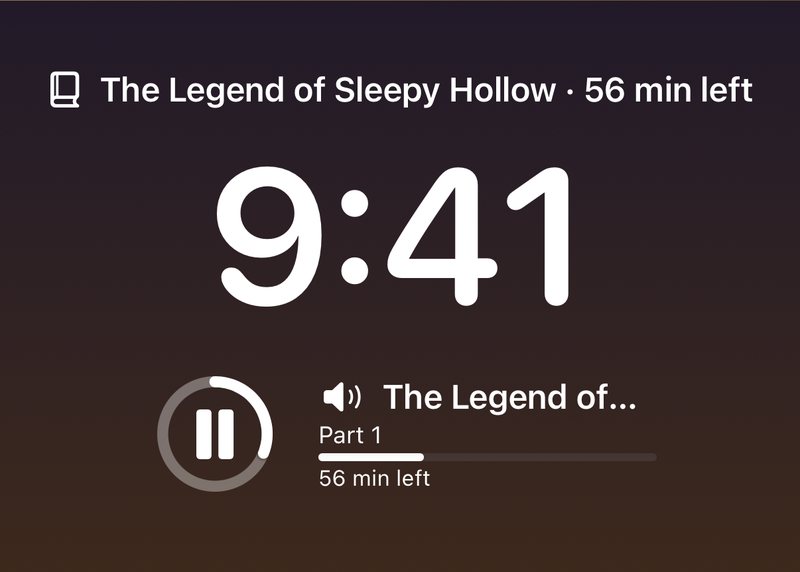
- Five widgets. Small and medium for the Home Screen; a progress ring, a card and a line above the clock for the Lock Screen.
- Siri knows your books. "Resume my audiobook in LectorTome." "Play Moby-Dick in LectorTome." The same actions are in the Shortcuts app.
- In the car and around the house. CarPlay's Now Playing screen, Control Center, AirPods and headphone buttons, and AirPlay to your HomePod, Apple TV or speakers.
- Pauses when your headphones come out, so your book never plays to the whole train.
Filling your shelves is the easy part
No cable, no iTunes, no fuss. With Wi-Fi Transfer, any web browser on your computer becomes a drop zone for your iPhone or iPad.
Open Wi-Fi Transfer
In LectorTome, tap + and Wi-Fi Transfer. You'll see an address like 192.168.1.23:8080 and a four-letter code.
Visit it on your computer
Open the address in any browser on the same Wi-Fi and type the code. Nobody else on the network can get in without it.
Drag in your books
Drop whole folders or single files. A folder becomes one book with a chapter per file, and books appear on your shelf as they arrive.
Prefer the Files app, iCloud Drive or Finder? Those work too. And three public-domain classics from LibriVox come with the app, so you can start listening the moment you open it.
Made for people who listen every day
The details that turn an audio player into a companion.
Combine and split
Turn a pile of chapter files into one book, or split a collection of short stories into separate titles. Your place and bookmarks come along.
Make it right
Fix a title, an author or a cover in seconds. Your audio files are never changed, and one tap restores the originals.
Finished, unfinished, unplayed
Mark any book the way you like, and the Recently Played sort puts what you're in the middle of first.
iPhone and iPad
One app that's at home on both, from a pocket-sized player to a full bookcase on a 13-inch iPad.
Folders of files or single M4B
A single M4B with chapters, or a folder of MP3s played in order: LectorTome understands both.
New books, found for you
Drop files in from the Files app or Finder and they appear on your shelf on their own.
Your books stay yours
LectorTome collects nothing at all. Your books, your listening history and your photos stay on your iPhone or iPad. The app has no analytics and nothing that phones home. Wi-Fi Transfer only works on your own network, with a fresh code every time, and only while its screen is open.
Your collection, as it is
- M4B
- M4A
- MP3
- AAC
- WAV
- FLAC
Plays DRM-free audiobooks: ones you've bought DRM-free, ripped from your own CDs, or downloaded free from LibriVox and the Internet Archive. Audible's protected .aa and .aax files won't play. Requires iOS 17 or iPadOS 17 or later.
An audiobook player should feel like the best armchair in the library: comfortable, quiet, and always right where you left it.
Questions
When can I get it?
LectorTome is finished and on its way to the App Store. Email us and we'll send one note the day it's out.
What will it cost?
The price will be announced when LectorTome arrives on the App Store.
Where do I get audiobooks?
Anywhere that gives you the audio files themselves: stores that sell DRM-free audiobooks, CDs you've ripped, or the thousands of free public-domain recordings at LibriVox. Three LibriVox classics come with the app to get you started.
Does it play Audible books?
No. Audible's .aa and .aax files are copy-protected, and only Audible's own app can play them. LectorTome plays DRM-free files: M4B, M4A, MP3, AAC, WAV and FLAC.
Do I need an internet connection or an account?
Neither. Everything happens on your device. You only need Wi-Fi for Wi-Fi Transfer, and then only your own home network.
Does it sync between my iPhone and iPad?
Not yet. Each device keeps its own library and places for now.
Will it work on my device?
Any iPhone or iPad that runs iOS 17 or iPadOS 17 or later.
I need help, or I have an idea.
See the support page, or write to support@gnuware.com. A real person reads every email.
Pull up a chair. Your next chapter is waiting.
Be the first to know when LectorTome reaches the App Store. One email, nothing else.